Testing
To test HBCD-motion to ensure it’s working as expected, please do the following:
Download Test Data
Download sample_hbcd.zip from here.
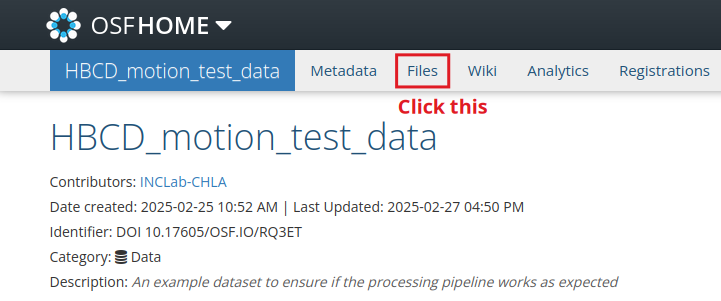
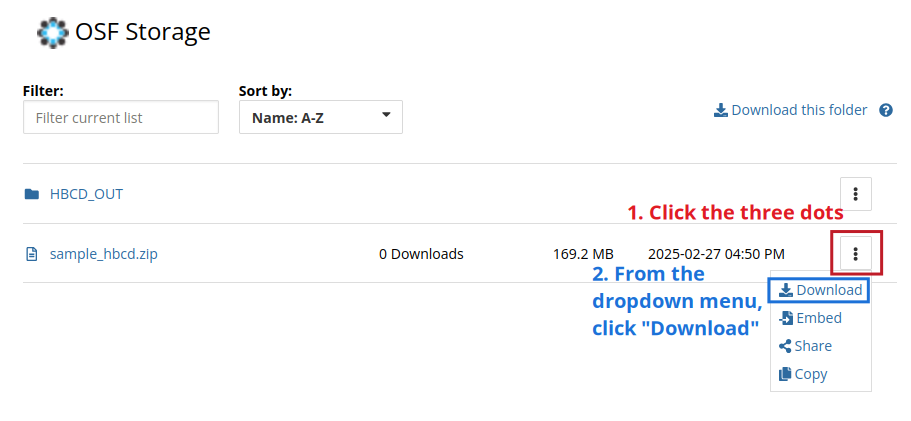
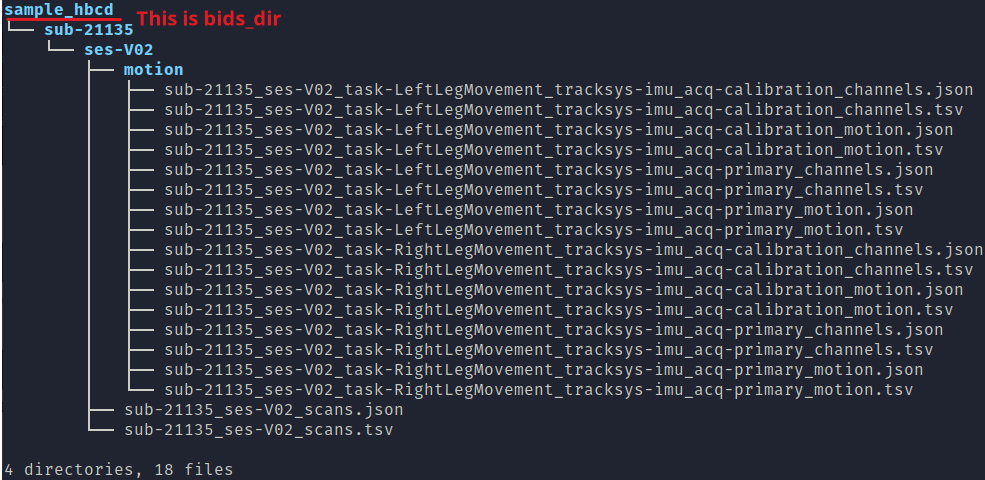
Once you extract the file, you should see a folder named sample_hbcd. The folder should be structured in the following way:
Execute HBCD-motion
If you haven’t already, set up HBCD-motion following instructions from this page. Then execute the processing pipeline with the test data using singularity:
bids_dir=/path/to/sample_hbcd (ex. /Users/joh/Downloads/sample_hbcd if working on a Mac)
bids_out=/path/to/output/folder (ex. /Users/joh/Downloads/HBCD_OUT)
container=/path/to/container (ex. /Users/joh/Downloads/hbcd_motion_postproc_latest.sif)
analysis_level=participant
singularity run -B $bids_dir:/bids -B $bids_out:/out $container /bids /out $analysis_level --entropy_type SampEn
If you use docker to process, 1) run the docker desktop, 2) open terminal and type the following:
bids_dir=/path/to/sample_hbcd
output_dir_name=HBCD_OUT
analysis_level=participant
docker run -it -v $bids_dir:/bids_dir \
inclab/hbcd_motion_postproc:<version_number> /bids_dir \
/bids_dir/$output_dir_name  $analysis_level --entropy_type SampEn
This is an example:
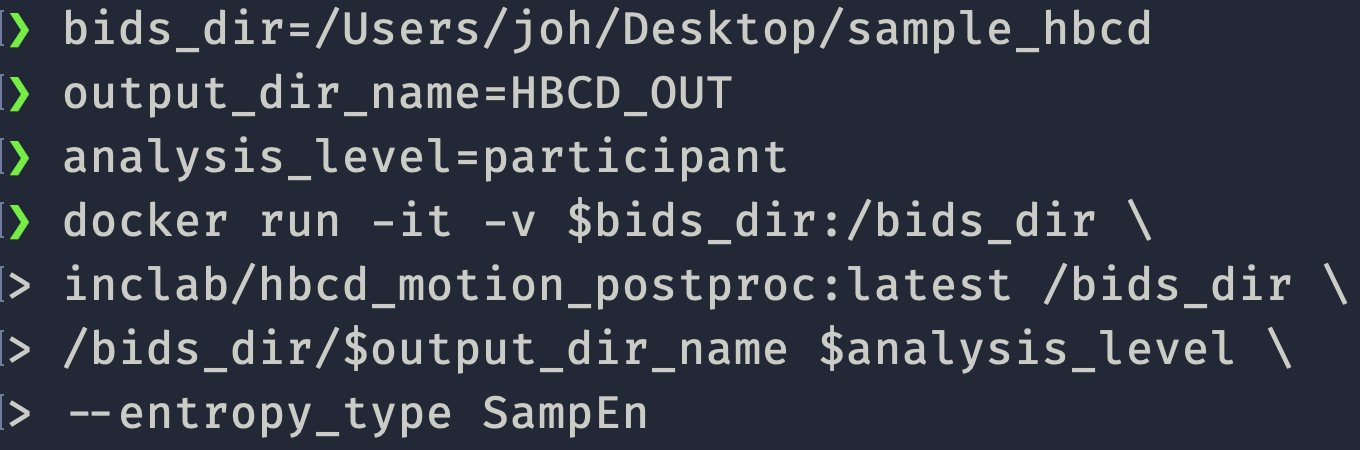
Notice that when running the pipeline using docker, the processing output will be saved in the folder named HBCD_OUT inside bids_dir. In the example above, it is /Users/joh/Desktop/sample_hbcd/HBCD_OUT.
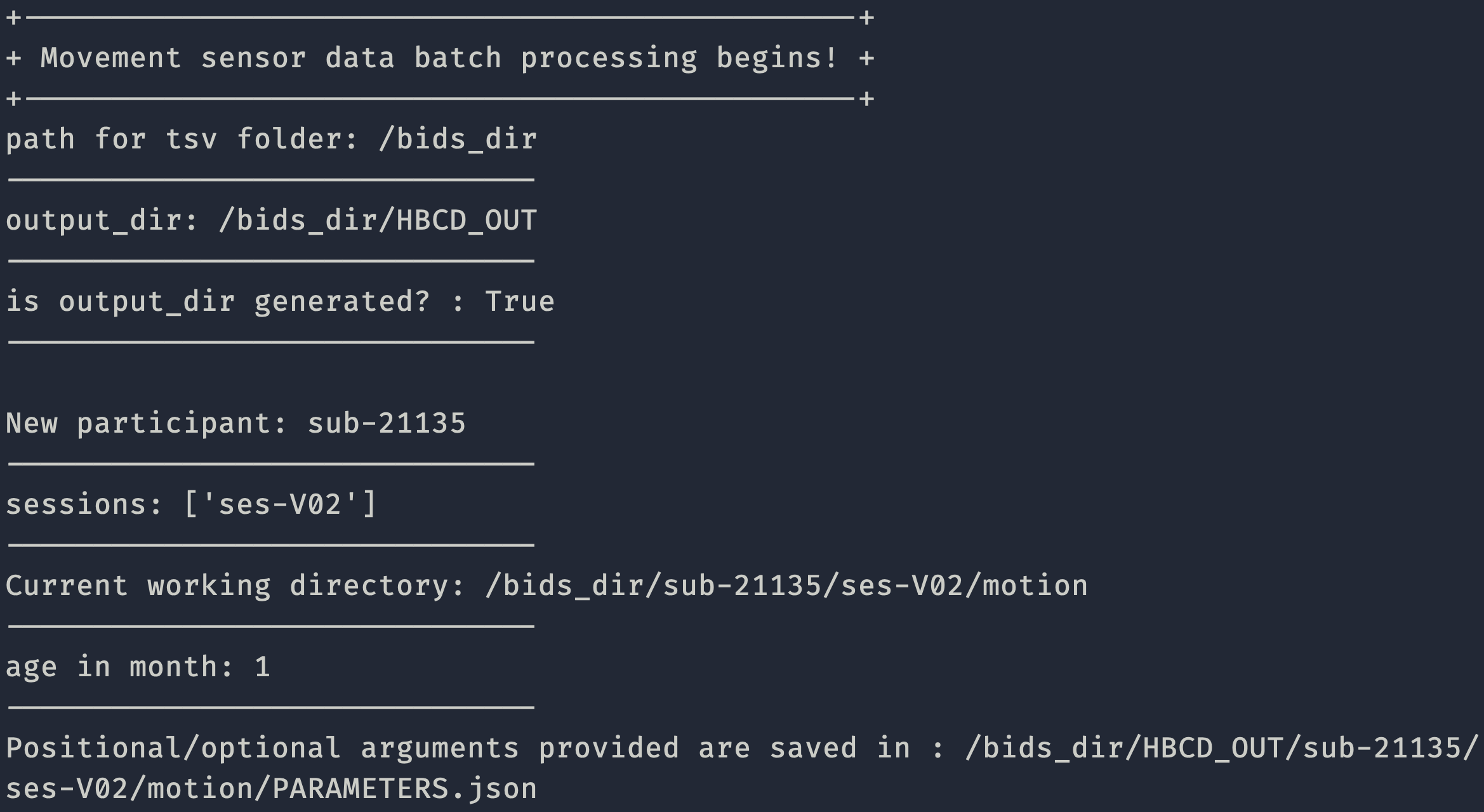
If the processing pipeline works properly, you should see a screen like below:
Note
I added --entropy_type SampEn to reduce the CPU load. Calculating FuzzEn requires a lot of computing power, so the process may terminate. To shorten the process even more, add more arguments (ex. --pa_measure acceleration, --pa_side L, --entropy_measure pkacc).
Once the entire process is completed, you should see files are populated in your bids_out (or output_dir_name) folder.
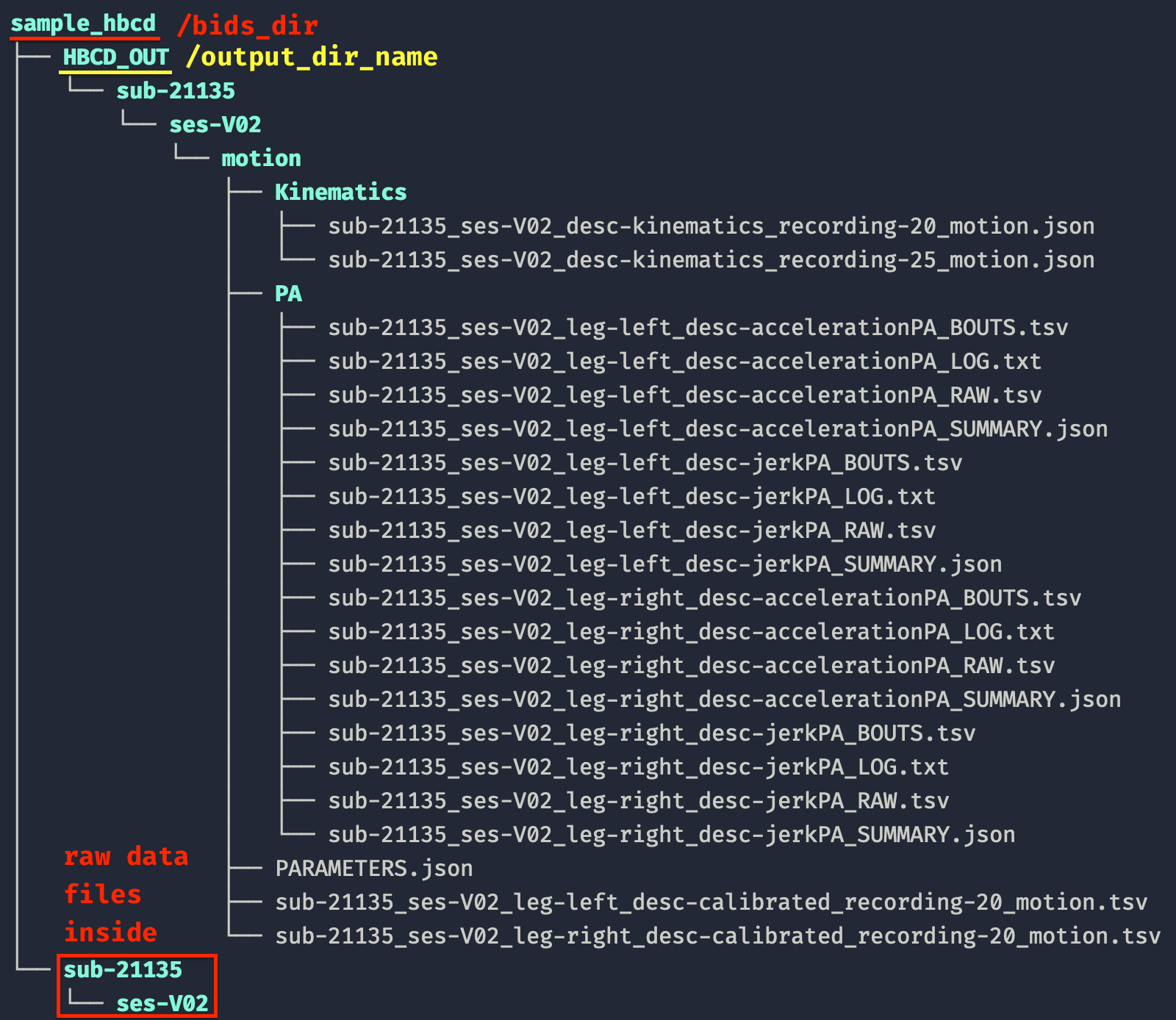
Your folder structure and generated files should be identical to what’s showcased in HBCD_OUT.